
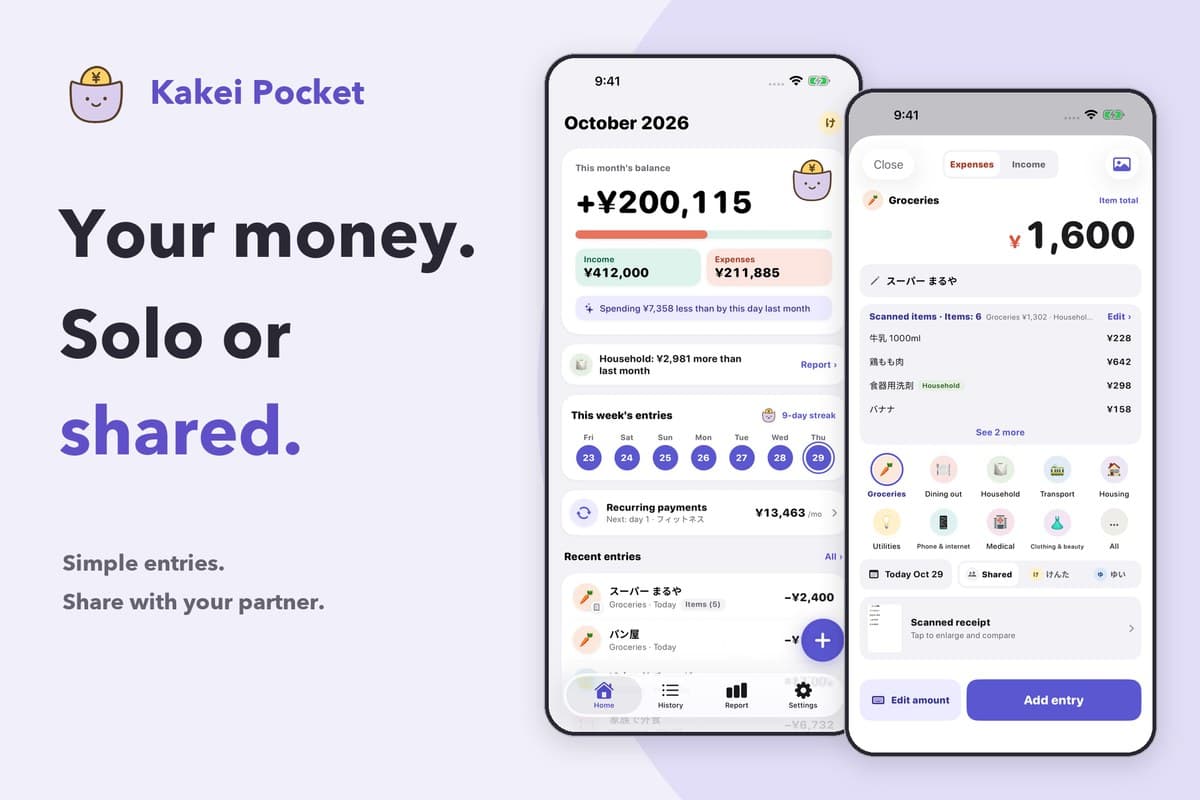
A few taps, or a receipt
Choose an amount and category to record an expense. Add notes and line items when you need them. No bank or credit card connection is required.
Take a receipt photo or choose one from your library, then check the date, amount, store and items before saving. Text recognition runs on your device and works without Apple Intelligence.
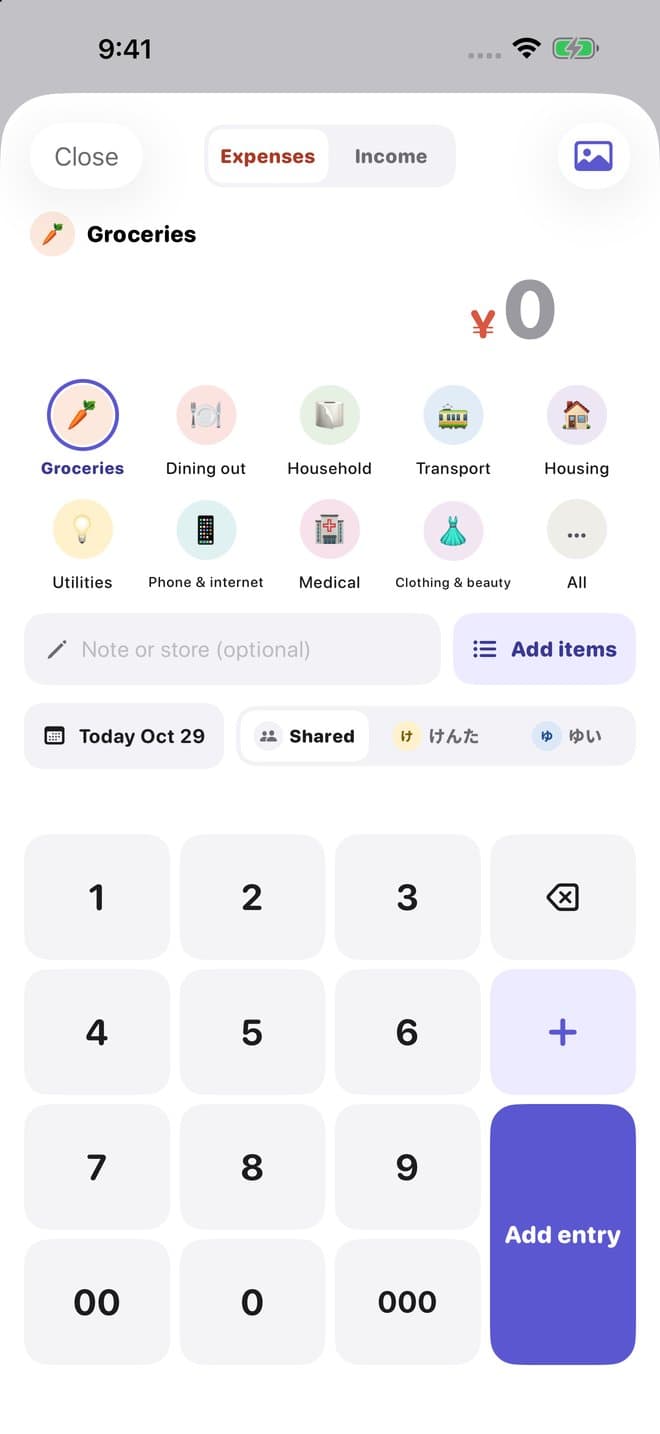
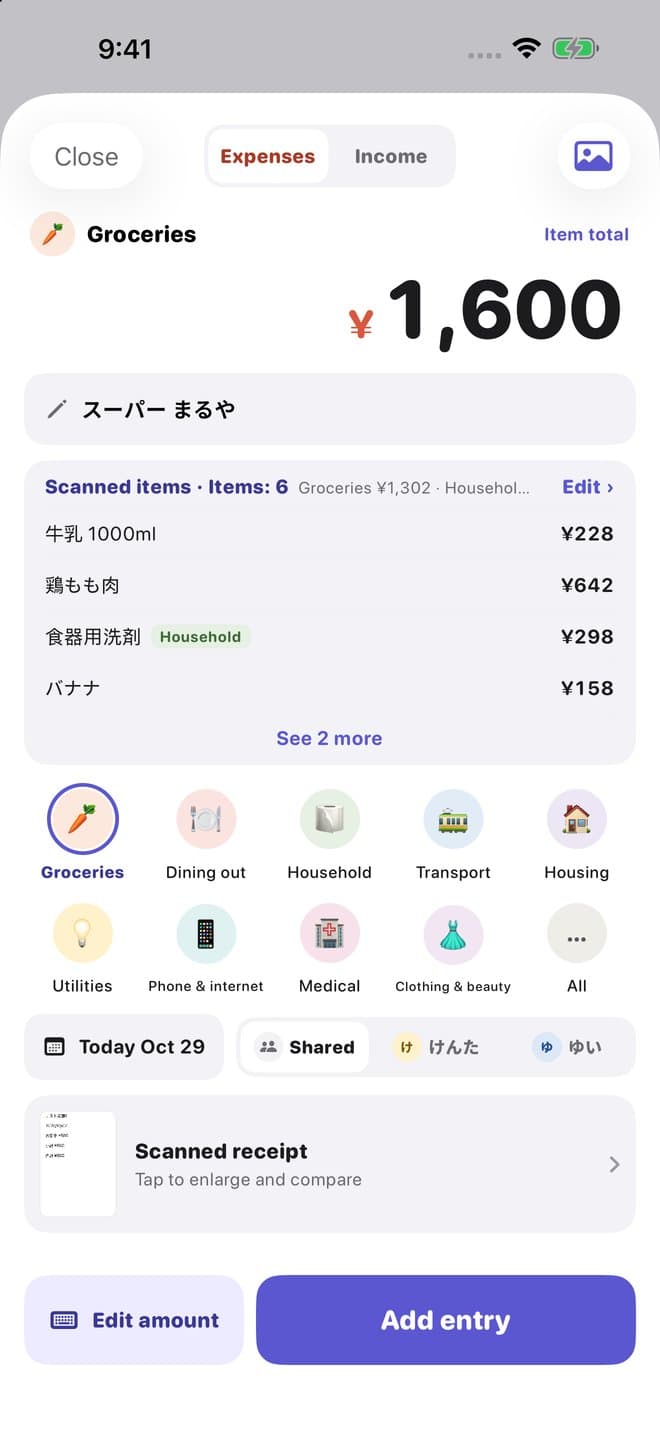
Keep the receipt, too
Save receipt images with your entries to reopen, zoom in or export to Photos or Files. Saved images sync with the ledger through iCloud and are available to your partner when sharing. Choose whether to save images in Settings.
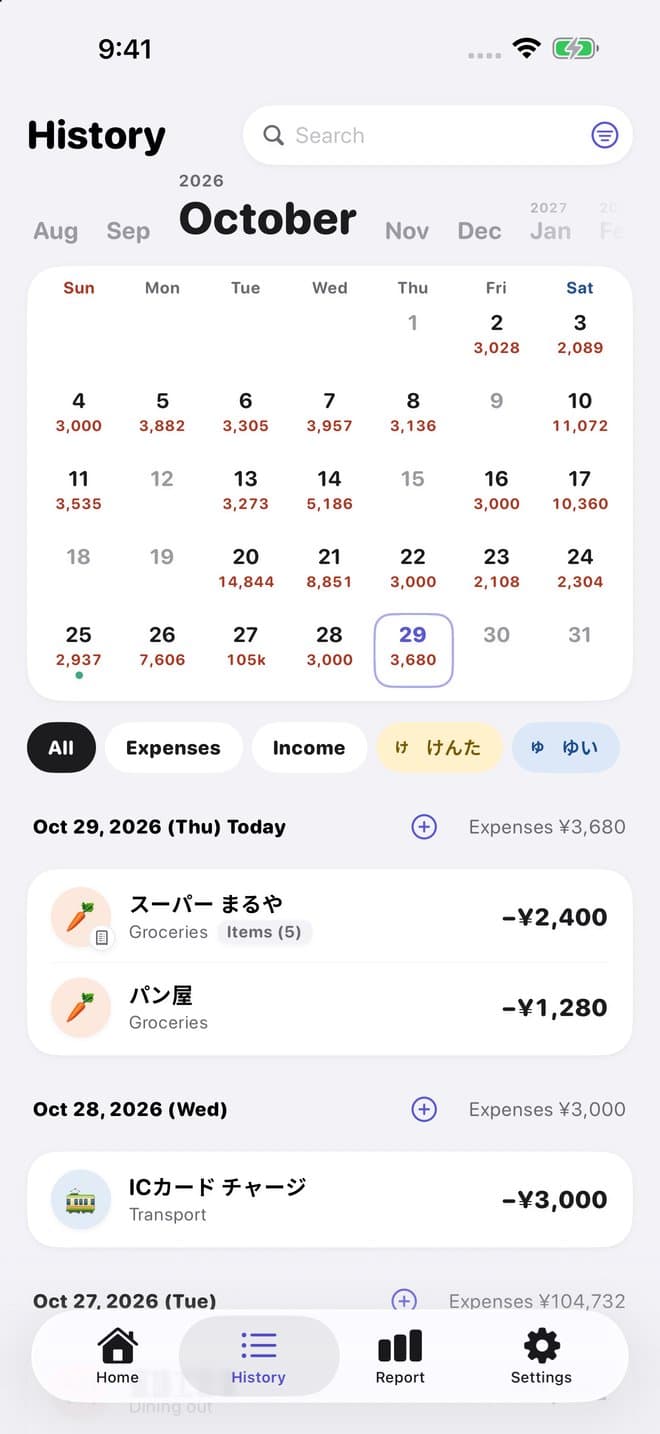
Find your spending and see the pace
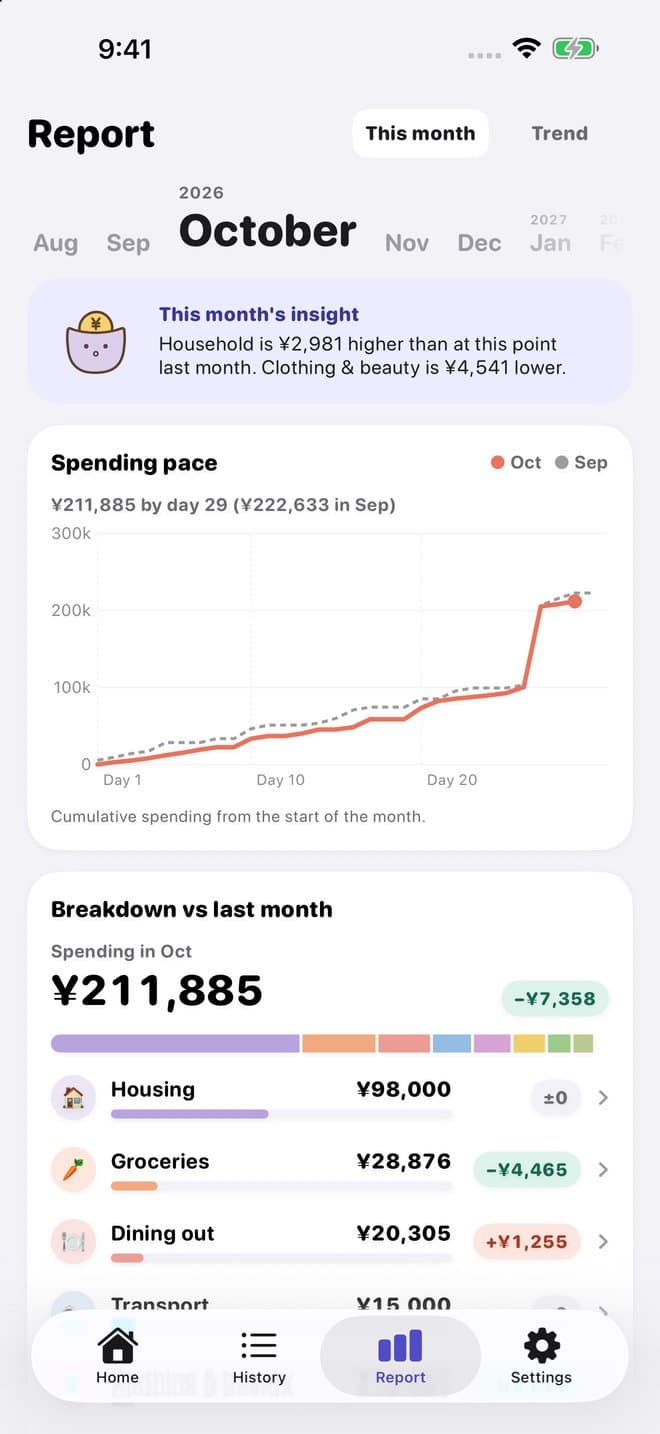
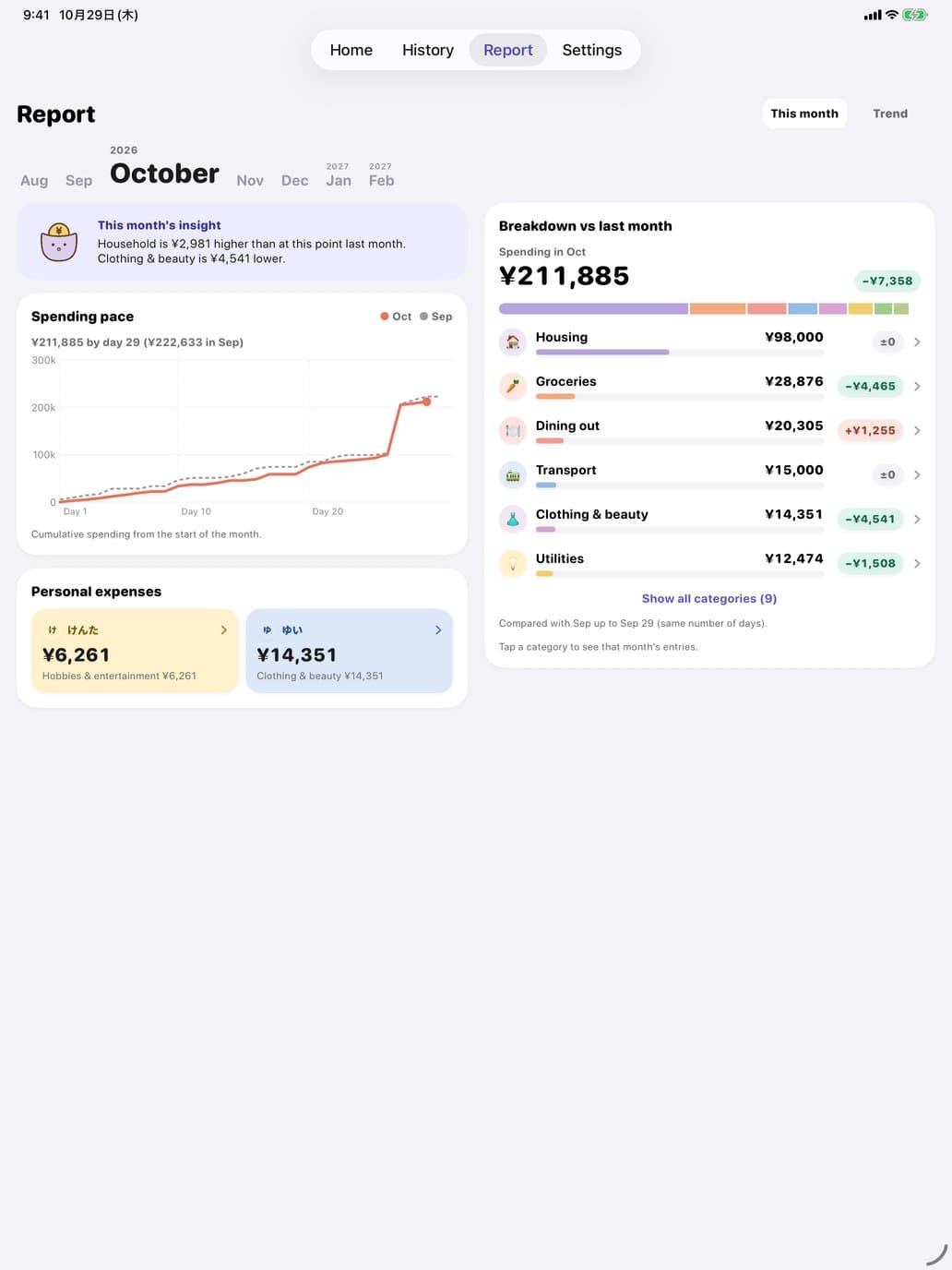
Pick a date in History or find entries by store or category. Reports bring together your spending pace, category breakdown, comparisons with last month and individual spending. Mid-month comparisons use the same number of days from last month.
Set a monthly budget to see what remains and a daily guideline. With Pro, explore income and expense trends over six months or a year.
Shared expenses and your own spending
Share a ledger with one partner through iCloud and separate shared expenses from each person's spending. You can also use the app on your own.
Start your bookkeeping month on any day from 1 to 28, optionally moving it to the previous Friday when it falls on a weekend. Save rent and subscriptions as fixed expenses, then record them with one tap when paid. Entries are never created automatically.
Room to see more on iPad and iPhone Duo
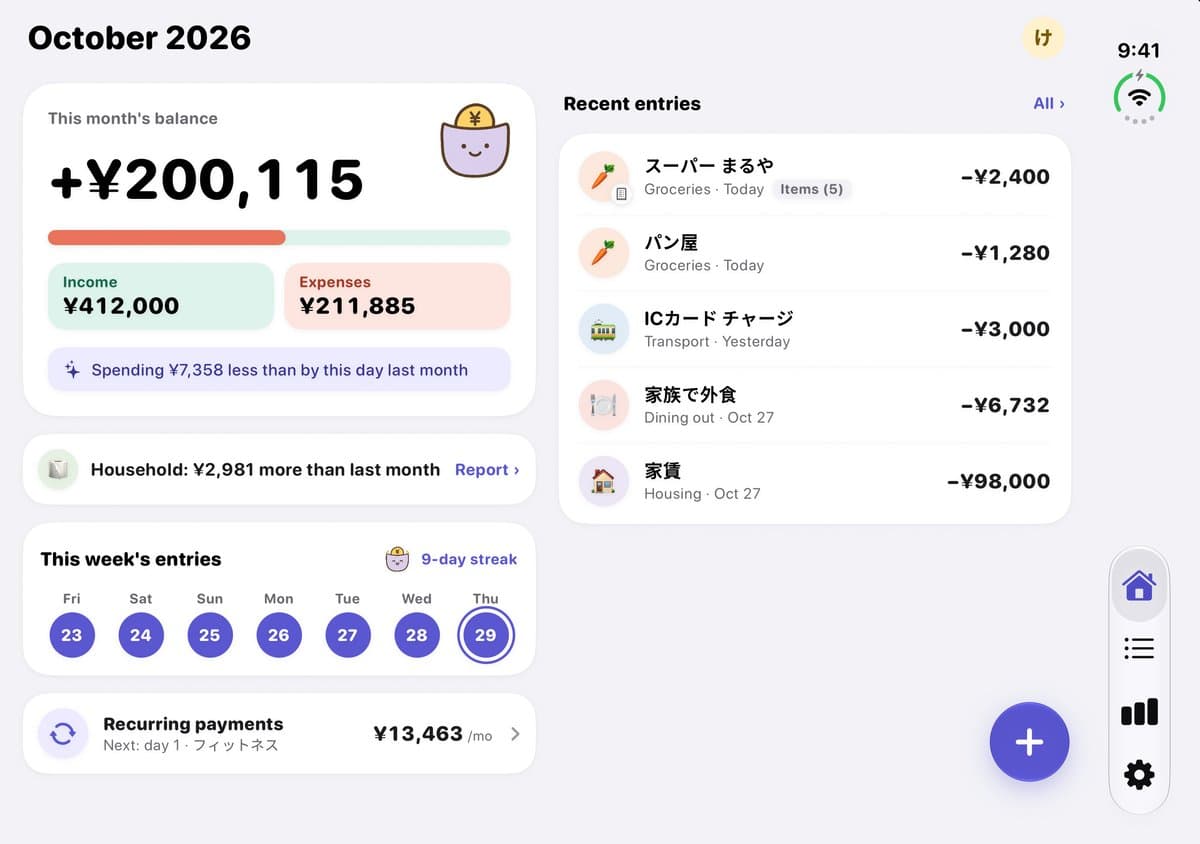
On iPad and an unfolded iPhone Duo in landscape, Home shows your balance and recent entries side by side. Review your reports on the larger screen, too.
Bring your records, or try a sample first
Import records from a spreadsheet using Settings → Import CSV, checking the entry count and date range first. Export records as CSV or JSON. On first launch, try the sample ledger to explore recording and reports.
Free sharing. One Pro purchase for both of you.
Recording, editing, sharing, fixed expenses and exports are free. The free version includes ads, 10 successful receipt scans per calendar month per device and up to three custom categories.
A one-time Pro purchase by the ledger owner removes ads and unlocks unlimited receipt scans and custom categories, plus six-month and yearly trends for both members. Your partner does not need to buy Pro separately. There is no subscription.
Supports Japanese and English on iPhone and iPad running iOS/iPadOS 26 or later. All amounts use Japanese yen. Receipt recognition is designed for Japanese receipts.